
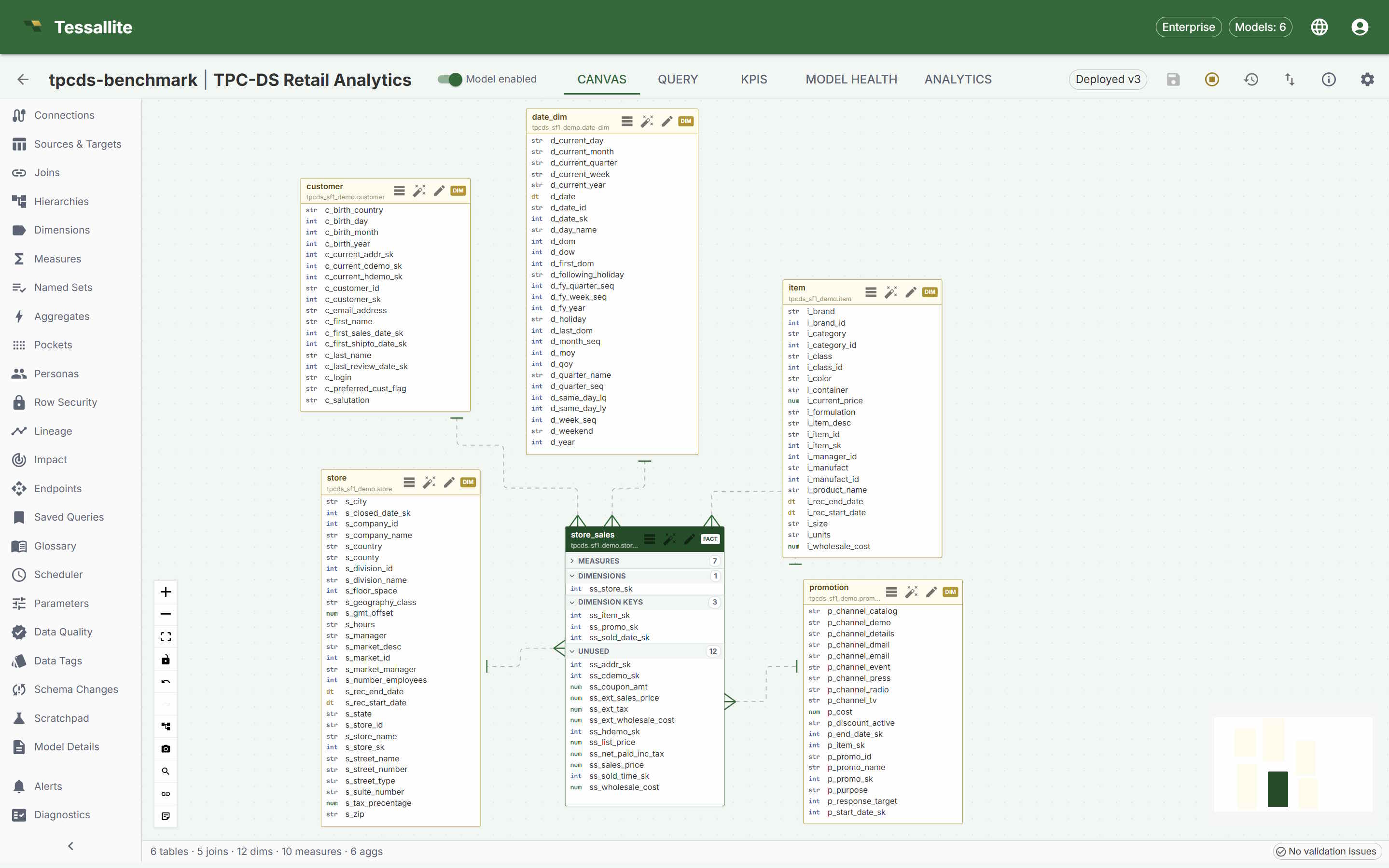
Modeller screen

Model Builder is where trusted business definitions are created.

A modeller connects source tables, defines joins, creates dimensions and measures, configures security, and publishes the model that downstream tools consume.

Tessallite Model Builder canvas

What the screen shows

  • A canvas showing fact and dimension tables as a graph.
  • Joins as visible lines, so the model shape is easy to review.
  • Tool panels for sources, joins, dimensions, measures, aggregates, refresh, lineage, and diagnostics.
  • Health checks that surface broken fields, stale aggregates, and model issues before publishing.

Workflow

From source tables to a deployed model.

1. Add data

Add source tables, classify facts and dimensions, and test source connections.

2. Define meaning

Create measures, dimensions, hierarchies, calendars, glossary terms, and friendly display names.

3. Publish safely

Run validation, configure access, deploy a version, and let BI tools consume the published model.